Digital Signage Software for Samsung Displays
Zeetaminds runs directly on your Samsung commercial displays, with no extra player. Manage content from our cloud or from your own servers, and control every screen from your browser.


The app installs on the Samsung display itself from a URL. No media box, no USB stick.
Use our SOC2 Type II cloud, or host the CMS on your own servers with a perpetual licence.
Power, volume, snapshots and reboots from the CMS, instead of a site visit.

Moving from Samsung MagicINFO?
Samsung is retiring MagicINFO. You can move a display to Zeetaminds remotely, using MagicINFO’s own virtual remote — no new hardware and no site visit.
31 Dec 2026
MagicINFO On-Premise end of sale
28 Feb 2027
MagicINFO Cloud end of service
2029
MagicINFO end of support
Source: Samsung VX documentation
Supported Samsung displays
The app runs on Samsung’s built-in SSSP / Tizen player, so there is no media box to buy or maintain. These are the platforms and model series we support.
Not sure which model you have? Check Samsung’s signage model list.
| Platform | Model series |
|---|---|
| SSSP5 | DBJ, QHH, QMH |
| SSSP6 | QBN, QBR, QEN, QHR, QMN, QMR, OMN, OMA, OHA-S, OHB, OMB, OMN-DS, OHN-D, OHN-S, OMN-D, VMR-U, QBR-N, QBR-T |
| SSSP7 | QPR, QER, OMR |
| Tizen 6.5 | QBB, QMB, QHB |
| Tizen 7.0 | QMC, QBC, QHC, SHC |
| Tizen 8.0 | QPDX5K, QHFX, OMDX, OMDXF, OHDX, OHDXF, EMDX, EMDXA, EMDX_13 |
Set up your Samsung display and
publish content in 5 minutes

Install from a URL
Enter https://zeetaminds.com/sssp in the player URL field, or under HOME → Custom App on a display that is already set up.
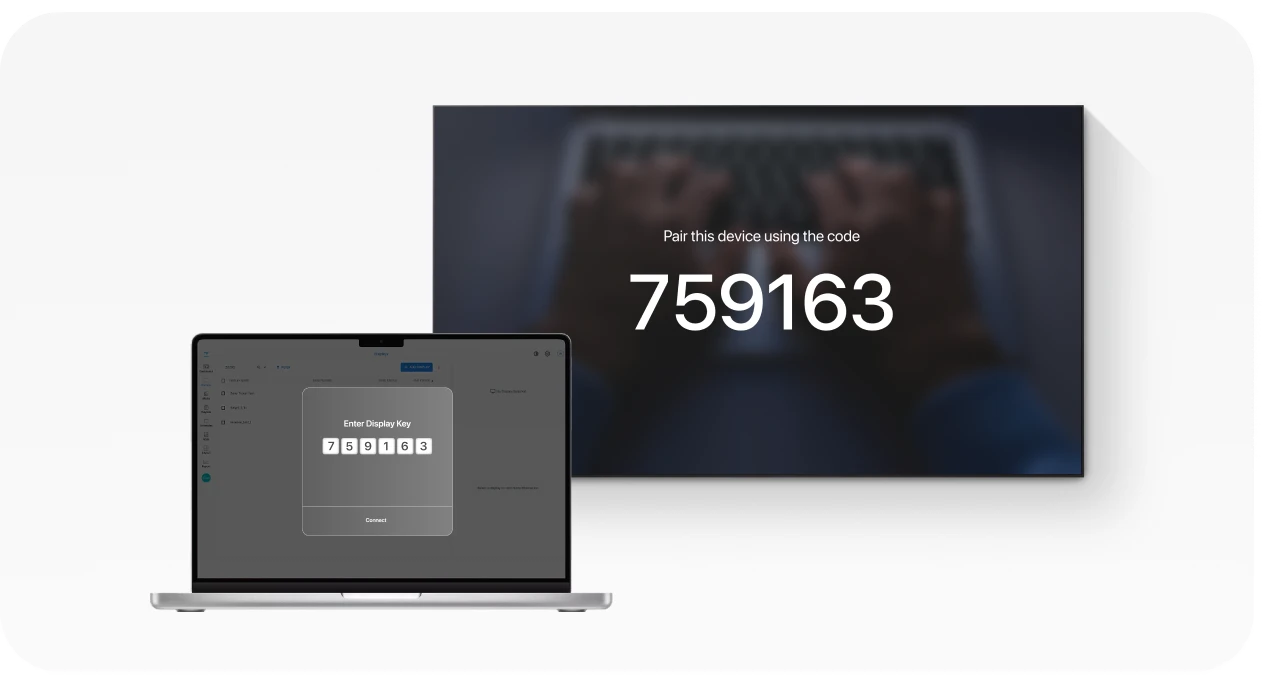
Pair the display
The app installs and launches on its own, then shows a security key. Add the display in the CMS with that key.

Publish content
Add media to a playlist and publish. The display downloads it and starts playing.
Control the display, not just the content
Fix most display problems from the CMS instead of sending someone to site.

Power Schedule
Weekly on/off times per day, or turn the panel off while the player keeps downloading.

Remote Reboot
Restart one display or a whole group from the CMS.

Live Snapshot
See what is on the screen right now, for proof of play and complaints.

Volume Control
Set or mute the audio level for each display.

IR Remote Lock
Disable the physical remote in public areas.
Remote control with a live view of the screen is rolling out on Samsung. See everything you can control on a Samsung panel.
Features for Samsung networks
TRUE In-sync Playback
Frame-accurate sync across Samsung panels for video walls and menu boards.

Canva Integration
Design in Canva and publish straight to your screens.

Offline Playback
Downloaded content and schedules keep running if the network drops.
Roles and Layout Locks
Give each team access only to the screens and zones they manage.
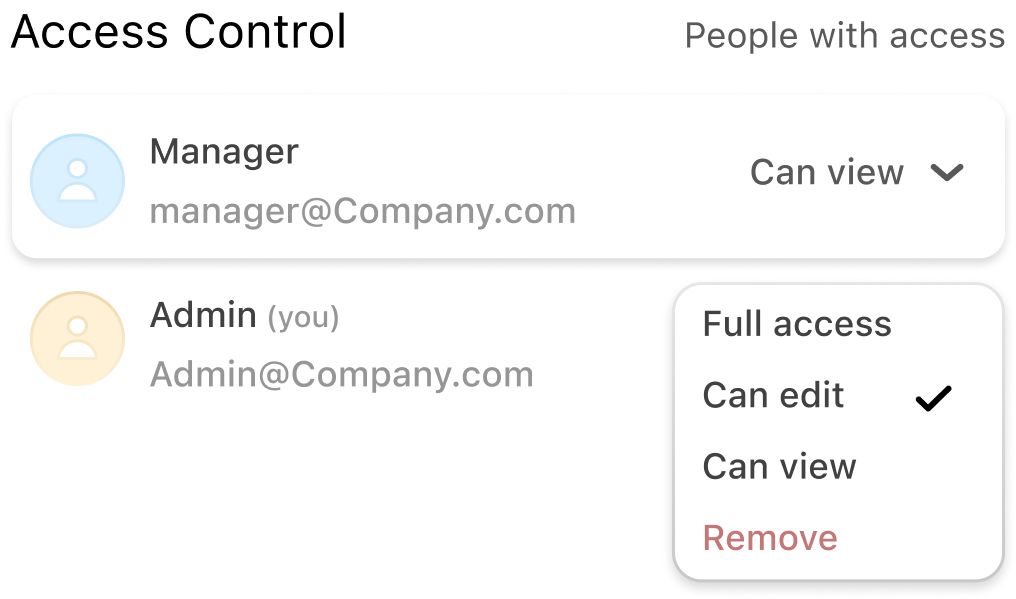
Cloud, Private Cloud or On-Premise
The same CMS and the same Samsung features wherever it runs. On-premise keeps content, schedules and device data inside your own network, with a one-time perpetual licence.
Deployment Options
Cloud
Ideal for any industry, any network size and any hardware.
On‑Premise
Preferred by Financial Institutions with 100+ displays
Private Cloud
Recommended for Enterprises with 500 displays and prefer to have their Private Cloud
Security

MFA (Multi-Factor Authentication)
Supports authentication via Google Authenticator or Microsoft Authenticator.
IP Filter
Allows access to the CMS only from approved IP addresses, blocking all unauthorised connections.


SOC
SOC 2 Type II is a comprehensive audit that evaluates whether a company’s security and privacy controls.
SSO (Single Sign-On)
Log in securely using your existing corporate credentials.

Data Security
All data is encrypted both in transit and at rest to ensure end-to-end protection.

VAPT
(Vulnerability Assessment and Penetration Testing)
Regular security audits are conducted to identify and resolve vulnerabilities proactively.

Samsung guides & articles
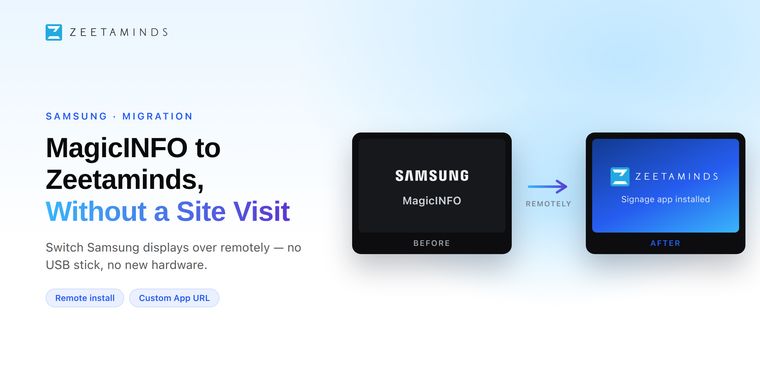
Samsung MagicInfo End of Life: What Changes, and How to Move Your Screens Remotely
MagicInfo On-Premise stops being sold on 31 December 2026, Samsung-hosted MagicInfo Cloud ends on 28 February 2027, and support ends in 2029. Here is what that means for your screens — and how to move them to Zeetaminds without a site visit or new hardware.
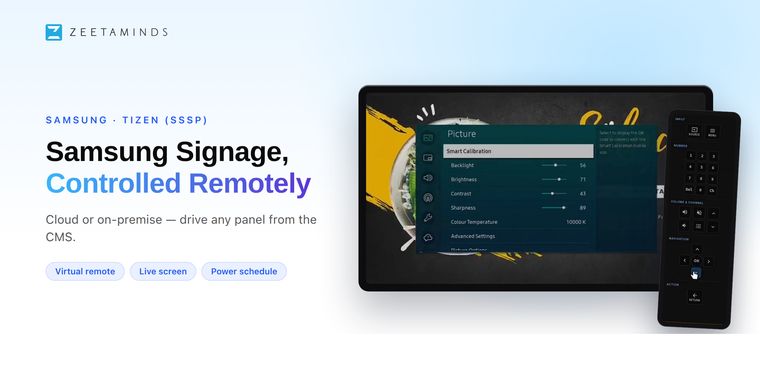
Remote Control for Samsung Signage: Fix Any Screen Without a Site Visit
The display is fine, the content is fine, but something in the display's own menu is wrong. Zeetaminds gives you a live view of the Samsung panel and a working remote in the browser, so that no longer means a site visit.
Try it on your own Samsung screen
No card details required for our 15 day trial.
Frequently asked questions
Does Zeetaminds work on Samsung Tizen displays?
Yes. Zeetaminds runs directly on Samsung Tizen (SSSP) commercial displays. You install the app from a URL on the display itself, pair it with the security key it shows, and manage content from the Zeetaminds CMS.
Which Samsung models are supported?
Samsung SSSP5, SSSP6, SSSP7, Tizen 6.5, Tizen 7.0 and Tizen 8.0 displays, including the QB, QH, QM, QE, QP, DB, OM, OH, SH and EM series. The full model list is in the Samsung setup guide.
Do I need a separate media player for Samsung displays?
No. Samsung SSSP displays have a built-in player, so the Zeetaminds app runs on the display itself without an external media player.
Can I run Zeetaminds on my own servers?
Yes. Zeetaminds is available as cloud software, as a private cloud, or on-premise on your own servers with a one-time perpetual licence. Minimum display counts apply to on-premise; contact sales@zeetaminds.com for terms.
Can I control a Samsung display remotely?
Yes. From the CMS you can set weekly power schedules, turn the panel off, reboot, adjust volume, lock the IR remote and take snapshots. Remote control with a live view of the screen is rolling out on Samsung; ask our support team to enable it.
What happens if the internet connection drops?
Content that has already been downloaded keeps playing and scheduled playlists continue to run. An internet connection is only needed to download new content.
How much does Zeetaminds cost for Samsung displays?
Cloud plans start at $10 per screen per month. On-premise is a one-time perpetual licence with no recurring fees. There is a 15-day free trial with no card required.
Can I move Samsung displays from MagicINFO to Zeetaminds without a site visit?
Yes. Using the virtual remote in your MagicINFO server, you can switch a display to Custom App, point it at the Zeetaminds app URL and pair it in the CMS, without new hardware or a technician on site.
Customer Voices
Most reliable Digital Signage Software out there.

Ranjit
Owner, Grandis Media